
Yahoo will give users a preview of what it will be like to use a new and improved version of Yahoo Messenger on Microsoft's Windows Vista at the 2007 International Consumer Electronics Show this year.
Yahoo will show off an early version of Yahoo Messenger optimized for Vista, with new features that take advantage of some of the user interface enhancements Microsoft has added to the OS.
"It feels very much at home as though it's living and breathing in Windows Vista," said Joshua Jacobson, a Yahoo senior product manager, of the version of Messenger built for Vista. The company plans to release a beta of the application in the second quarter of 2007, and a final version should be available four to six weeks after that, pending feedback, he said.
New Features
Windows Vista is already available for business users, and is expected to be available to consumers on Jan. 30.
Yahoo used the new GUI (graphical user interface) development framework in Vista called Windows Presentation Foundation (WPF) as the basis for several of the new features of Messenger. New abilities to scale up in size the avatar and contact information for people in a user's contact list, a color wheel that allows users to choose a new color for Messenger's skin, and a feature that shows a large-sized emoticon that goes beyond the boundaries of the Messenger window before shrinking to its normal size all use WPF, Jacobson said.
Yahoo also has added a feature called Yahoo Show and Tell that allows users who are connecting via voice on Messenger to share photos so they can converse or send IMs (instant messages) about them while they are talking. Eventually, Messenger will allow users to share videos this way as well, Jacobson said.
Tabs Similar To Firefox
Another new feature in the Vista version of Messenger follows the lead of both Internet Explorer 7 -- the browser included in Vista -- and Mozilla's Firefox browser. Like those applications, which allow users to create tabs for new browser windows to more efficiently keep track of where they are surfing, Yahoo Messenger will do the same for instant messages, Jacobson said.
The application does not automatically create tabs as some IM software does, however; it lets users create the tabs themselves so they have control over which conversations they would like tabbed, he said.
Voice Visualization
Finally, Yahoo has added a new "voice visualization" feature to Messenger that lets Vista users see their voice on the IM window coming through as a visual sound wave, Jacobson said. This will help let them know if the person they are speaking with can hear them and if their voice is at an appropriate volume level, as well as to make the connection between users a more "intimate" experience, he said.
"We're trying to let people express themselves through Messenger and make it more engaging to communicate," Jacobson said.
Yahoo will be exhibiting at CES, which is being held this week through Thursday in Las Vegas.
Friday, March 2, 2007


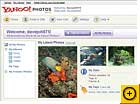
The easiest way to share photos is to publish them online, and the new Picasa Web Albums (from Google) and Yahoo Photos make that easier than ever. I liked aspects of both beta services, but I give Yahoo's service the early edge for its solid search features.
In what Google describes as "pre-beta" form, Picasa Web Albums feels as polished as some of its longer-running rivals. Google ties the site to beta version 2.5 of its Picasa software. You edit and organize your photos in Picasa, and then click the Web Album button to post them online. Picasa's defaults make albums public--so anyone with an invitation can browse them--but switching albums to private viewing is easy. You can upload photos at their original resolution or let the service downsize them to save storage space. Google offers 250MB of space free; you can pay $25 per year for 6GB.
Google's site layout is attractive and functional. You can switch freely among your entire collection, your public albums, and other people's bookmarked albums. You can also see photo metadata like the camera model and exposure information for a selected image, view slide shows, and download photos (yours or others') to your PC.
Strangely, Picasa Web Albums forgoes Google's search prowess, and the company will not say whether such a function is coming later. Currently you have no way to tag photos or search for images.
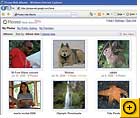
In contrast, the single best feature of Yahoo Photos is its search function. You can easily add Flickr-like tags to your images so that you can find specific photos via a search box at the top of the page. And whereas Google's photo editing tools are all in the Picasa software, Yahoo's site includes exposure adjustments, cropping tools, red-eye reduction, and even fancy border effects.
Yahoo Photos' biggest weakness is its design. The interface is cluttered with ads and tiered menus that I had to experiment with--even then, I never really felt at home.
The upload system lacks an organizer application. And Yahoo sets images to private by default--odd, since the Web is all about sharing. Also, it's easy to miss the fact that you can upload images at their full size, because that feature is hidden behind a check box that describes the settings in terms of upload speed. At least for now, Yahoo supplies free, unlimited storage.
What Picasa Web Albums lacks in features it makes up for in polish and charm. On the other hand, Yahoo Photos will appeal to folks who like the idea of sharing and editing their photos, all online.
Google Picasa Web Albums
Beta Product, not rated
Desktop photo organizer combined with Web sharing is elegant, but why is there no search or tagging?
Price when reviewed: Free (250MB storage), $25 per year (6GB storage)
picasaweb.google.com
Yahoo Photos
Beta product, not rated
This powerful but cluttered photo organizer is a virtual replacement for your desktop photo apps--and it has a strong search function.
Price when reviewed: Free
photos.yahoo.com
Google Maps on Windows Mobile(tm) devices
Those of you with Windows Mobile(tm) devices can now search for local
businesses and get real-time traffic reports using Google Maps. This
edition also includes some custom features: contacts integration, GPS
support, draggable maps, and tap and hold menus. And since Google Maps
for mobile is available on more than 300 phone models, chances are
good everyone can download the application and always know where they
are when they're on the go.
http://www.google.com/gmm
businesses and get real-time traffic reports using Google Maps. This
edition also includes some custom features: contacts integration, GPS
support, draggable maps, and tap and hold menus. And since Google Maps
for mobile is available on more than 300 phone models, chances are
good everyone can download the application and always know where they
are when they're on the go.
http://www.google.com/gmm
Share videos on orkut
A new feature of orkut makes it easier to share funny and memorable
videos. Instead of sending video links via instant message or emailing
them to your friends and family, from orkut you can add video links
from YouTube or Google Video to your video playlist to share with
anyone who visits your profile. And if you find videos that you like
on your friend's profile, all you have to do is click the "Add to my
favorites" button to make them appear on your playlist.
http://www.orkut.com
videos. Instead of sending video links via instant message or emailing
them to your friends and family, from orkut you can add video links
from YouTube or Google Video to your video playlist to share with
anyone who visits your profile. And if you find videos that you like
on your friend's profile, all you have to do is click the "Add to my
favorites" button to make them appear on your playlist.
http://www.orkut.com
North America Updates on Google Maps
We're often freshening up the map data available on Google Maps. This
month, we've added building footprints for the urban cores of 38 U.S.
cities, giving Google Maps a better sense of scale, providing extra
visual detail and enabling you to navigate using buildings as
landmarks. For example, search for [empire state building] and zoom in
all the way to get to the heart of New York City. We've also added
transit information for 8 major U.S. cities (New York, San Francisco,
Los Angeles, Atlanta, Boston, Baltimore, Philadelphia, and Washington
D.C.), as well as nationwide Amtrak coverage.
http://maps.google.com
month, we've added building footprints for the urban cores of 38 U.S.
cities, giving Google Maps a better sense of scale, providing extra
visual detail and enabling you to navigate using buildings as
landmarks. For example, search for [empire state building] and zoom in
all the way to get to the heart of New York City. We've also added
transit information for 8 major U.S. cities (New York, San Francisco,
Los Angeles, Atlanta, Boston, Baltimore, Philadelphia, and Washington
D.C.), as well as nationwide Amtrak coverage.
http://maps.google.com
No more waiting for an invitation: You can now sign up for your own
Gmail account. Sign-ups are open worldwide in more than 40 languages.
Now everyone can get the benefits of Gmail: fast and accurate search,
a ton of free storage, chatting within Gmail, and access from your
mobile phone. You can still invite your friends, but now you can also
just tell them to visit the Gmail homepage. Don't miss the 4-part
Gmail Theatre video, featuring our engineers and a cast of puppets,
now playing on YouTube.
Go to Gmail
Go To Youtube
Gmail account. Sign-ups are open worldwide in more than 40 languages.
Now everyone can get the benefits of Gmail: fast and accurate search,
a ton of free storage, chatting within Gmail, and access from your
mobile phone. You can still invite your friends, but now you can also
just tell them to visit the Gmail homepage. Don't miss the 4-part
Gmail Theatre video, featuring our engineers and a cast of puppets,
now playing on YouTube.
Go to Gmail
Go To Youtube
Search KMLs on Google Earth
KML is the XML file format people use to create overlays to enhance
the geographic imagery with a vast array of detailed information. For
instance, open up Google Earth, type in a query like [lord of the
rings], and the results from the web (in KML files) for your query
will appear in a folder below the local results as placemarks. The
placemarks are based on the area in your view, so searching for [lord
of the rings] while you're viewing South Africa will get you no
results - but when you're viewing New Zealand, the same query will
show you top 10 placemarks (green icons) from the region and by
clicking on "see more" you can find tons more placemarks. With the
latest version, you can search across all of the KML available on the
web using either keywords or geographic locations. Our users have
created millions of KML files, so start searching today.
http://earth.google.com
the geographic imagery with a vast array of detailed information. For
instance, open up Google Earth, type in a query like [lord of the
rings], and the results from the web (in KML files) for your query
will appear in a folder below the local results as placemarks. The
placemarks are based on the area in your view, so searching for [lord
of the rings] while you're viewing South Africa will get you no
results - but when you're viewing New Zealand, the same query will
show you top 10 placemarks (green icons) from the region and by
clicking on "see more" you can find tons more placemarks. With the
latest version, you can search across all of the KML available on the
web using either keywords or geographic locations. Our users have
created millions of KML files, so start searching today.
http://earth.google.com
Subscribe to:
Posts (Atom)


